You probably spent hours on that leaflet. Clean layout, tight copy, brand colours bang on. Then you exported it as a flat PDF, dumped it on your website, and… crickets. A few downloads, maybe. No real engagement. Definitely no spike in enquiries.
Most people think a digital leaflet is just a PDF with a URL. It's not.
Done right, it's a conversion tool. The difference between a leaflet people skim and one that makes them act comes down to interactivity. Interactive digital leaflets get read. They get shared. And they convert at a rate that static PDFs simply can't touch.
Let's look at what actually makes the difference.
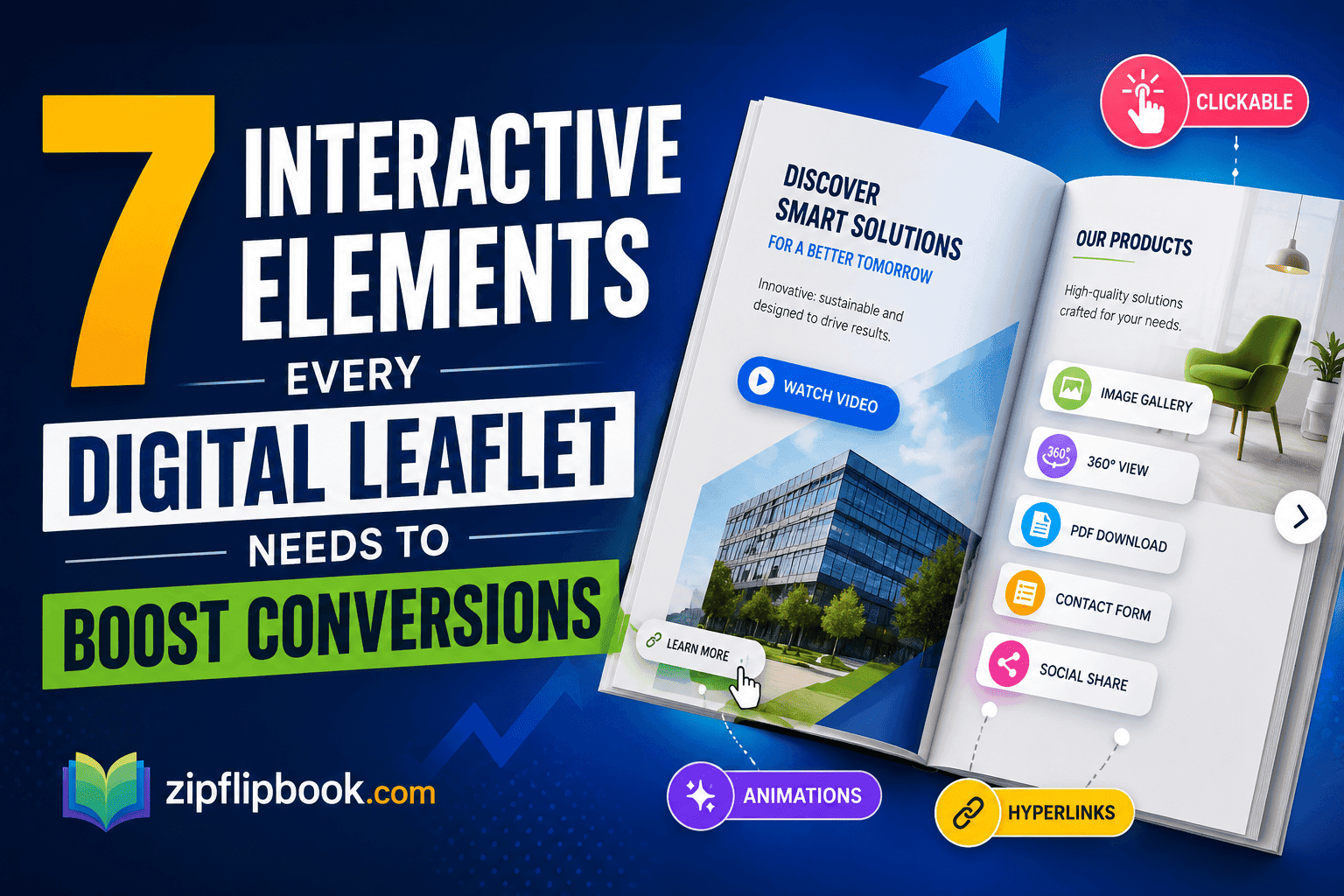
1. Clickable Links That Actually Go Somewhere
You'd be amazed how many digital leaflets are just glorified images — no clickable links, no buttons, nowhere to actually click.
Every digital leaflet needs embedded hyperlinks — to your website, your booking page, your product catalogue, wherever you want people to go next. If someone reads your leaflet on their phone and wants to get in touch, making them manually type out a URL is friction you can't afford.
The best digital leaflet tools let you embed links directly into the design, so every phone number, email address, and URL becomes a tap-to-action. That's the baseline. Everything else builds on top of it.
2. Page-Flip Navigation That Mirrors Real Life
There's a reason people still like physical magazines. The page-turn experience feels natural — it creates a sense of progress. You can feel yourself moving through the content.
A good digital leaflet replicates that with a flipbook-style interface. Pages flip. You can thumb through like a real brochure. It's not a gimmick — it genuinely improves time-on-page and completion rates because people intuitively understand how to navigate it.
Tools like ZipFlipbook turn your PDF into a fully interactive flipbook in seconds. No coding, no complicated setup. Just upload, convert, and embed. That page-flip experience alone puts your digital leaflet miles ahead of a flat PDF download.
3. A Searchable Table of Contents
If your digital leaflet runs longer than six or eight pages, people need a way to jump around. Nobody flips through twenty pages hunting for the pricing section they half-remember near the back.
A sidebar table of contents — or even just clickable thumbnails — fixes this instantly. It respects your reader's time and makes your leaflet feel like a proper interactive document rather than a static file.
This is especially useful for trade catalogues, product brochures, and service guides where different readers want different sections. A letting agent doesn't need to wade through residential sales content to find the landlord services page. Give them a shortcut and they'll get there — and convert — much faster.
4. Embedded Video or Audio
Very few people actually do this. Which means if you do, you're immediately ahead of most of your competitors.
Imagine a property brochure where you can watch a 90-second walkthrough video right inside the leaflet. Or a fitness studio leaflet with a short clip of a class in action. Or a restaurant digital menu with a behind-the-scenes kitchen video on the chef's notes page.
Embedded media keeps people on the page longer. It communicates things text and images simply can't. And it gives you a reason to send the leaflet again — "we've just added a video" is a genuinely useful follow-up email hook rather than just another nudge.
Not every digital leaflet platform supports this, so it's worth checking before you commit to a tool.
5. A Persistent, Visible Call to Action
This mistake loses you leads — and it's incredibly common.
A beautiful leaflet with a single CTA buried on the back page. People don't always read to the end. They skim. They jump. They close the tab when something else pings. If your only call to action is on page twelve, most of your readers never see it.
The fix is simple: make your CTA persistent. A floating button. A sticky footer. A sidebar that follows the reader as they flip through. Something that says "Book a call" or "Get a quote" or "Shop now" without making them hunt for it.
This is the element that does the actual converting. The rest of the leaflet does the convincing — the CTA captures the result. Don't hide it.
6. Lead Capture Built Into the Leaflet
Most digital leaflets are designed to send people somewhere else to convert. They read the leaflet, click through to a landing page, fill in a form. Every additional step is a drop-off point.
What if the form was in the leaflet itself?
Some interactive digital leaflet platforms let you embed contact forms, email signup fields, or request-a-quote widgets directly into the document. The reader fills in their details and hits send without going anywhere. You get the lead while they're still engaged and warm.
If your leaflet is doing most of the selling, don't make people leave to complete the transaction.
7. Analytics and Engagement Tracking
You can't improve what you can't measure. A digital leaflet without analytics is a shot in the dark.
The best interactive leaflet tools give you real data: how many people opened it, how long they spent on each page, where they dropped off, which links they clicked. That's the kind of data you can actually use — it tells you which parts of your leaflet are working and which pages lose people's attention halfway through.
If you're sending leaflets as part of a sales process — to prospects, at trade shows, via email campaigns — this changes everything. You can see who's engaged before you follow up. You can A/B test different versions. You can stop guessing.
Static PDF downloads give you nothing. An interactive digital leaflet gives you a full picture.
Turn Your PDFs into Lead Generation Machines
Start getting highly-qualified leads from your PDFs and landing pages today. It takes exactly 2 minutes to set up.
No credit card required • Sign up in 10 seconds
Putting It Together
Look, you don't need all seven for a simple flyer. Two or three — clickable links, a visible CTA, flip navigation — already beats a static PDF by miles.
But if you're building a brochure that's doing serious work — replacing sales calls, nurturing prospects, supporting a campaign — stack as many of these as you can. The good news is that most of them don't require a developer or a big budget. You design in whatever you already use — Canva, InDesign, Figma — export as a PDF, and the interactive layer takes care of itself.
Your digital leaflet should work as hard as you do. Give it the tools to actually convert.
If you want to test this yourself, ZipFlipbook turns a PDF into an interactive leaflet in about a minute. Free, no account required.