Here's the reality: most digital leaflets are PDFs with a download button. Someone clicks, glances for a few seconds, and leaves. You get nothing — no name, no email, no way to follow up.
The file existed. The visit happened. You'll never know.
An interactive digital leaflet changes that. Not by adding animations for the sake of it, but by giving people a reason to stay, a path to follow, and a dead-simple way to say yes to whatever you're offering.
What "Interactive" Actually Means
A hyperlink isn't interactivity. Neither is a button that opens your homepage.
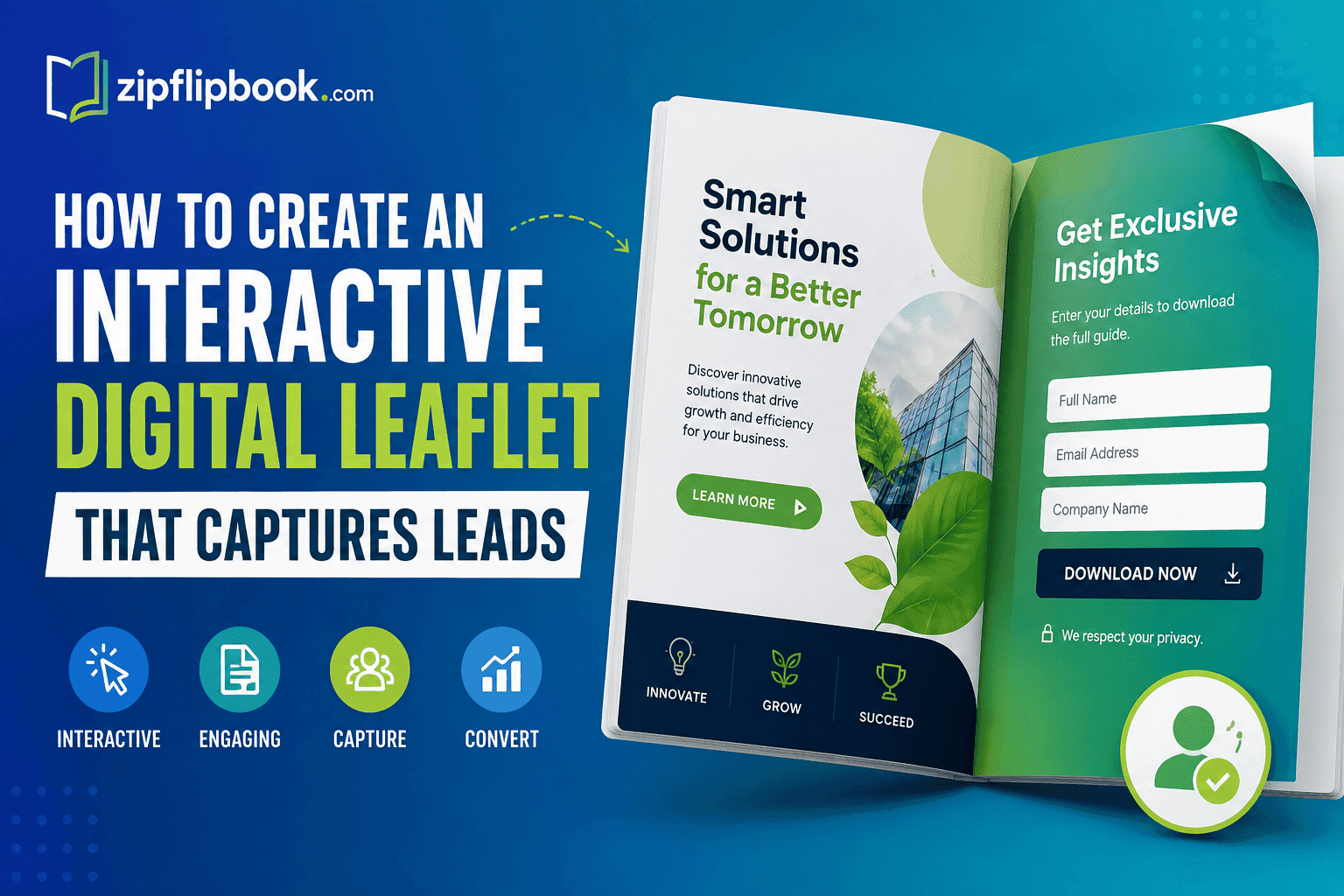
A genuinely interactive digital leaflet responds to the reader. Pages turn when they click or swipe. Videos play inside the document. CTAs link directly to booking forms or sign-up pages — not your homepage. There's a contact form on the final page. The whole thing feels like it was built for the web, not printed out and scanned.
The flipbook format gets you there faster than anything else. It keeps the familiarity of a physical brochure while letting you layer in every piece of digital functionality a PDF can't touch.
Get the PDF Right First
The format won't save weak content. Fix the document before you do anything else.
Keep it short. Four to eight pages. Anyone still building twelve-page digital leaflets is designing for themselves, not the reader. People skim. The job of each page is to earn the next one.
Lead with a problem, not your logo. Nobody cares about your company name until they know you understand their situation. Open with something that makes them think this person gets it. Logo-first leaflets get ignored — every time.
One offer, one CTA. Three services, two products, and a newsletter link in the same leaflet equals zero conversions. Pick one thing you want the reader to do and build every page toward it. Everything else is noise.
Design for screens, not print. Dense columns and 10pt body text look fine on a printed A4. On a phone screen they're unreadable. If you're starting from scratch and don't already have a design tool you like, an AI brochure maker will get you to a decent layout faster than staring at a blank Canva page. Whatever you use: 1200px wide, body text at 14pt minimum, plenty of white space. Run it on your phone before you publish it anywhere.
Turn It Into a Flipbook
Drop your PDF into ZipFlipbook and it's a live flipbook in seconds. No coding. No plugins. Just a URL you can share anywhere — email, social, your website, even WhatsApp.
What that format actually buys you:
The page-turn animation isn't a gimmick. It signals to people that this is something worth reading — a real document, not a random download. That perception alone affects how long they stay with it.
It embeds directly into a web page. Readers don't click away to a separate file. They stay on your site, they read, and they're already halfway to converting before they've finished the first page.
It tracks. Views, time spent, clicks. You know who opened it, how far they got, and what they clicked. A PDF sitting in someone's downloads folder tells you absolutely nothing.
Turn Your PDFs into Lead Generation Machines
Start getting highly-qualified leads from your PDFs and landing pages today. It takes exactly 2 minutes to set up.
No credit card required • Sign up in 10 seconds
Put the Lead Capture Inside the Leaflet
Most people create a polished interactive leaflet and then put a "contact us" link at the bottom. One redirect, one distraction, one loaded page later — the lead is gone.
Close the gap. Put the capture inside the leaflet itself.
Final page form. If your leaflet is five or six pages, page five should have a short form embedded directly on it. Name, email, one qualifying question at most. The reader is already warmed up. Don't send them somewhere else to convert.
Use a lead magnet, not a generic pitch. "Get in touch" is weak. "We'll send you the full breakdown" is better. Give people something specific in exchange for their email — a free audit, a checklist, a quote, a case study pack. The leaflet is the teaser. The lead magnet is the close.
CTA on page two or three, not just the last page. Some readers won't finish the leaflet. A soft CTA mid-way through — "book a free 15-minute call," "see how this works for your industry" — catches them before they leave. Don't make people hunt for the next step. Make it obvious everywhere.
UTM every link. Add UTM parameters to every URL inside the leaflet. Takes thirty seconds to set up in Google's Campaign URL Builder. Without it, you won't know whether your leads came from the email campaign, the LinkedIn post, or the page embed. With it, you do.
Share It Where People Actually Are
A well-built interactive leaflet going nowhere is a digital brochure gathering dust. Get it in front of people through channels they're already using.
Email campaigns — link, don't attach. Attachments get flagged by spam filters and have lower open rates. A link to a flipbook is cleaner, faster, and you can track exactly who clicked it.
LinkedIn — body of the post, not the comments. LinkedIn suppresses links in comments. Write something about the problem your leaflet addresses, then drop the link in the post itself. Keep it short. Let the leaflet do the explaining.
Sales outreach — personalise it. A leaflet with one changed page — a different industry example, a relevant case study — performs better than a generic brochure sent to everyone. You're not sending something. You're making something for them. That distinction lands.
Website embed. Put it on your services page. Your about page. A dedicated landing page if the offer warrants it. Visitors get something to engage with beyond text and stock photography, and you get behavioural data on who's interested enough to flip through it.
QR codes on print. People expect a QR code to take them to a basic webpage or a PDF. Landing on a full flipbook instead is a genuine surprise. Use it on business cards, event materials, flyers — anywhere you're handing something physical to someone who might want more.
Watch the Numbers That Actually Matter
Most flipbook tools show you views, clicks, and time spent. Here's what actually matters:
Drop-off page. If most people close the leaflet on page three, something breaks on page three. The design gets confusing, the content goes flat, or there's a broken link pulling them out. Find it and fix it. Most people never look at this number.
CTA click rate relative to views. If 400 people open the leaflet and 6 click the CTA, the offer is weak or the button is buried. Either fix the copy or move the button up two pages. Both, if you're not sure which.
Which channel sends the most engaged readers. Views don't mean anything on their own. Someone who reads all six pages and clicks the CTA is worth ten people who opened page one and bounced. UTM tracking tells you which channel is sending the first kind.
Treat the leaflet like a landing page — something you test and improve, not something you ship and forget.
The Mistakes Worth Avoiding
Too much text on every page. Leaflets get scanned, not read. If it looks like a blog post printed onto a page, nobody finishes it. Use short paragraphs, clear headers, and leave actual white space.
Skipping the mobile check. What looks clean on a desktop can be completely unreadable on a phone. Test it on your phone every single time, before you send it anywhere.
Vague offers. "We're passionate about delivering results" says nothing. "We cut the average client's proposal time by 40%" says something. Specifics keep people reading. Generalities send them elsewhere.
Setting it and forgetting it. A leaflet with an outdated price, a discontinued service, or a case study from three years ago is actively working against you. Review it every quarter. It takes twenty minutes.
FAQs
Do I need design skills to make an interactive digital leaflet? No. Design it in whatever you already use — Canva, Adobe, Google Slides — export as a PDF, and upload it to ZipFlipbook. The flipbook conversion is automatic.
What's the difference between a digital leaflet and a flipbook? The leaflet is the content. The flipbook is how people experience it online — page turns, embedded links, a shareable URL. One is what you're saying. The other is how it feels to read it.
Can I capture leads directly inside the leaflet? Yes. Link to a lead capture form from inside the flipbook, add CTA buttons to specific pages, and use your final page as the conversion moment. The closer the form is to where people are reading, the better it converts.
How long should it be? Four to eight pages. Long enough to build interest, short enough that people actually finish it. If you have more to say, use the leaflet as a teaser and link out to something longer.
Is a flipbook better than a PDF for lead generation? For almost every use case, yes. PDFs don't track, don't embed natively, and give readers no reason to stay. Flipbooks do all three.
How do I know if it's generating leads? UTM parameters on every internal link, form submission tracking in your CRM, and the built-in analytics from your flipbook tool. Look at all three together, not just one.