Our PDFs were dead weight. I just didn't realize it for a while. We had a product guide, a couple of case study one-pagers, a pricing breakdown — decent content, all sitting as static links on the site, doing nothing except existing. Click. New tab. Gone. No email. No name. No idea if they even opened it.
Lead capture inside a flipbook? I don't talk about it enough. Honestly, it's the part of ZipFlipbook that actually pays the bills. Everyone comes for the flipping. They stay for the leads.
Why a static PDF link is basically a leak
Where do your PDFs live right now? Behind a "Download" button. Maybe a form. Probably a clunky one. Either way, once someone clicks that link, they're gone. They've got the file, you've got nothing — no email, no idea if they even opened it, no way to know if page 3 (the one with your pricing) got any attention at all.
For years, I thought that was just... how PDFs worked. You publish. Some people read. You never know who. Turns out that's only true if you're distributing it as a raw file. The second you turn it into something people interact with inside a browser, you get a completely different relationship with that content — you can see it, and you can ask something of the person reading it before they finish.
What lead capture inside a flipbook actually looks like
It's not a hard paywall, and it shouldn't be. Hard gates kill conversions. I've closed more tabs than I've filled out on those things. Nobody wants to trade contact info for something they haven't even glanced at yet.
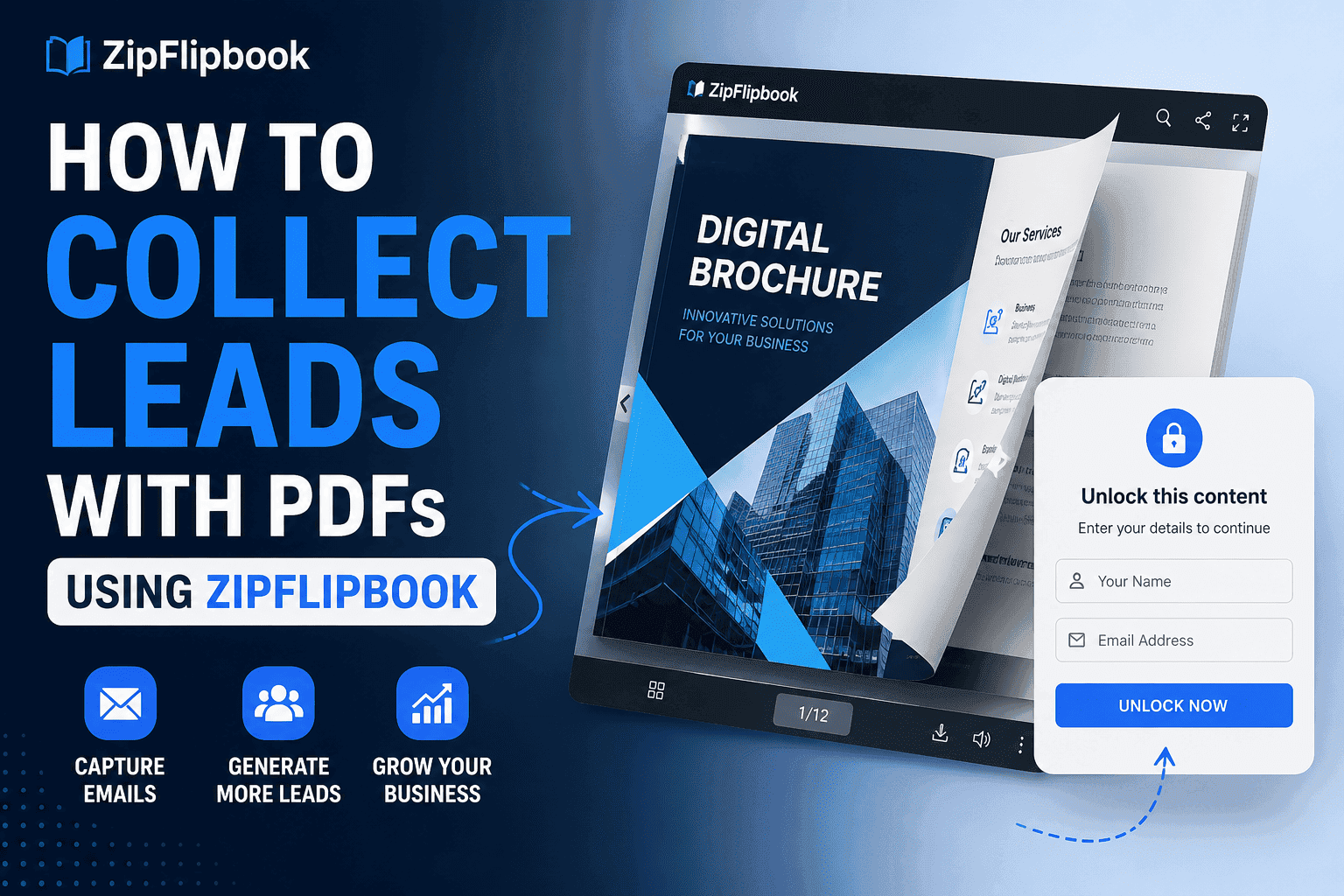
ZipFlipbook lets people flip through first. Then — once they're actually into it — you ask. A few pages in, a form pops up. Email. Maybe name. Phone if you really need it — but I'd skip that. Soft ask. Harder conversion. Timing matters.
You can also set it up as a straightforward gate on a specific page — say, if you've got a pricing breakdown or a bonus resource page you only want to show to people who've given you something in return. That's a fair trade at that point in the flip, because they've already gotten value from the pages before it.
Turn Your PDFs into Lead Generation Machines
Start getting highly-qualified leads from your PDFs and landing pages today. It takes exactly 2 minutes to set up.
No credit card required • Sign up in 10 seconds
Setting it up, practically
Once your PDF is uploaded and converted into a flipbook, the lead capture form lives in your dashboard settings for that specific document. You pick where in the sequence it shows up — early, mid, or gated on a particular page — and what fields you actually want. Don't ask for more than you need. Every extra field is a tax. Email alone wins.
You can also customize the message on the form itself. "Want the full pricing breakdown?" converts differently than a generic "Enter your email to continue" — specificity about what they're getting on the other side of the form matters more than people give it credit for. I left a generic form up for three months. Flat conversion. Changed two words. Conversion jumped. Embarrassing how long that took.
Once someone submits, that lead shows up in your dashboard, tied to the specific document and, if you've got page analytics turned on, tied to how far they'd read before converting. That last part? That's your sales team's cheat code. A lead who read your case studies before converting is different than one who bounced in early.
Where this actually makes sense to use
Don't bolt a gate onto every PDF. That's annoying. If it's just a blog bonus, leave it open. You want reach, not friction.
Product specs? Gate them. Anyone downloading those is already shopping — capturing them there means your sales team gets a lead that's already educated on the product instead of starting from zero.
Case study collections are gold for B2B. Someone reading through five client wins is pre-sales-qualifying themselves, on their own time, and you're getting their contact info as a natural byproduct of it.
Pricing docs? Test it. Sometimes a gate kills a deal that was already yours. Sometimes the gate is the only thing that captures them before they bounce.
And event or conference one-pagers — agendas, speaker lists, that kind of thing — are an underused spot for this. People downloading an event guide are already showing real interest, and capturing them there gives you a warm list to follow up with before the event even happens.
Biggest mistake: setting this up and walking away
People set up the lead capture form and then never look at what happens after. The form fills up a spreadsheet somewhere and nobody follows up for two weeks, by which point the person who downloaded your pricing guide has already talked to three competitors and mostly forgotten why they cared.
The gate is worthless without a follow-up. Even an automated "here's my calendar" email — sent within an hour — beats a lead that sits for a week. The capture mechanism is the easy part. Actually doing something with what it catches is where most of the value either gets realized or wasted.
Here's something nobody talks about: page analytics plus lead data. You see exactly where people stop reading. That tells you where your content is broken. If everyone who converts is stalling on the same page, that page needs work, whether that's a confusing pricing tier or a case study that isn't resonating. I've caught weak spots in our own material this way that I never would have noticed just looking at overall download numbers.
Turn Your PDFs into Lead Generation Machines
Start getting highly-qualified leads from your PDFs and landing pages today. It takes exactly 2 minutes to set up.
No credit card required • Sign up in 10 seconds
Getting started
You already have PDFs sitting around. This takes ten minutes to set up and pulls leads from content you've already made. Upload the PDF, place the form, and have a follow-up ready. Your content stays the same. Just the delivery changes. And what you get back.