Ask most business owners how many people opened the PDF they sent last week and you'll get a shrug. Maybe a guess. "A few," someone will say, with zero confidence behind it. That's the normal state of PDF distribution — you send the file, and then it just disappears into whatever inbox or download folder it landed in. No confirmation. No signal. Nothing.
I ran into this constantly before I actually did something about it. We'd send a proposal PDF to a prospect, wait a few days, then send a nervous follow-up email that basically said "did you get a chance to look at this?" Half the time they hadn't opened it at all, and we had no way of knowing that before we sent the email. We were just guessing, every time, and pretending the guess was a strategy.
The PDF black hole
A PDF file, on its own, is a dumb object. Once it leaves your hands — attached to an email, sitting on a download link, whatever — it's out of your control entirely. There's no built-in mechanism for the file to phone home and tell you it got opened. It's the same problem whether you're sending a resume, a pitch deck, a product catalog, or a proposal. The format itself just doesn't send a signal back. Period.
Some people try to patch this with read receipts on the email itself, which is a mess. Half of recipients have them disabled. Even when it works, a read receipt tells you the email got opened, not whether the actual attachment did. You could get a "read" ping and the person never touched the PDF at all, just glanced at the subject line and moved on.
Others try embedding tracking pixels directly into a PDF, which technically works sometimes but is unreliable across different PDF readers, gets blocked by a lot of corporate email security, and frankly feels a little sketchy to set up. Not something I'd want to build a sales process around.
The simple switch that changed it
Here's the shift that solved this for us. Instead of sending the raw PDF, you convert it into something people open in a browser — a page they click a link to, rather than a file they download. Once it's a link instead of an attachment, tracking becomes trivial, because now you're just watching normal web activity. Someone clicks, that's a page load, and page loads are ridiculously easy to track.
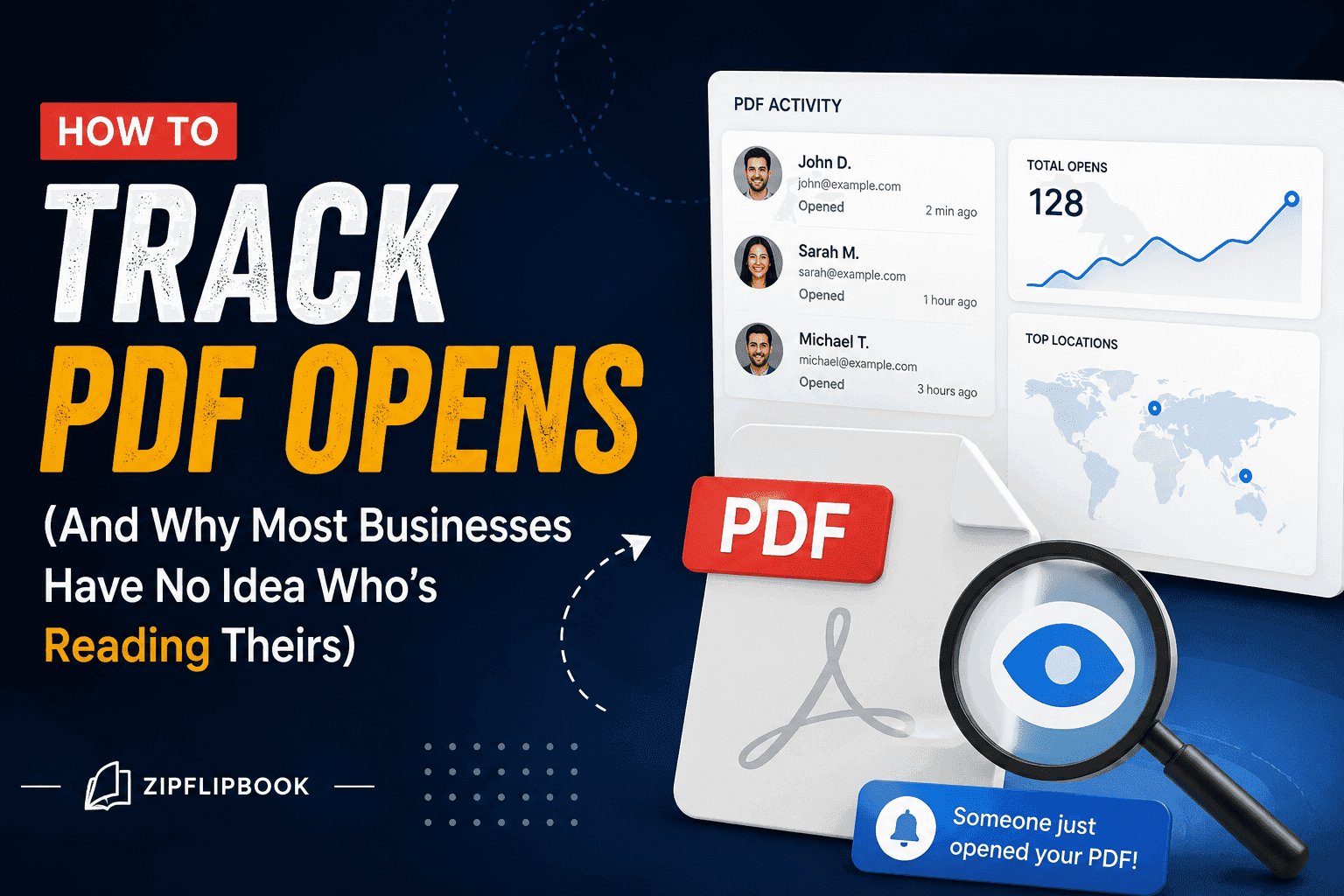
ZipFlipbook handles this in about two clicks. Drop the PDF in, and it spits out a flippable web version, and from that point on you can see whether it got opened, how many times, and — this is the part that actually changed how we operate — how far into it someone actually got.
That last piece matters more than the open itself. Knowing someone opened your 12-page proposal is fine. Knowing they read the first 3 pages and stopped right before the pricing section tells you something completely different. Maybe pricing scared them off. Maybe they got interrupted and never came back. Either way, that's a follow-up conversation, not a guess.
Once your PDF's live as a flipbook, the dashboard shows opens per document, and if the same link gets shared around, you can see repeat views — which matters for proposals, especially when you see three different people at the same company opening it five times. That's a much warmer signal than one lonely open from a random Gmail address.
Page-level data is the bigger win, though. You can see which pages get the most attention, where people tend to drop off, and whether the sequence you built the document in actually matches how people read it. I've had documents where I assumed the case studies section was the strongest part, and the data told a different story completely — people were spending way more time on a random FAQ page near the back that I'd almost cut during editing.
If you've got lead capture turned on too, all of this ties together. You know not just that someone opened the document, but who they are and how far they got before converting. A lead who read the whole thing before giving you their email is a different kind of lead than someone who bailed after page two.
How this changes your follow-up game
Tracking opens isn't just a vanity number to check once and forget. It changes your follow-up.
If someone hasn't opened the proposal three days after you sent it, that's a different email than "just checking in." It's closer to "hey, did this land in spam, want me to resend?" — because now you actually know the not-opening is real, instead of assuming and being wrong half the time.
If someone opened it but stalled on a specific page, that page becomes the thing you address directly. Instead of a generic follow-up, you can say something closer to what actually happened. If they stopped right at your pricing table, that's worth a direct conversation about pricing, not a vague "let me know if you have questions."
If a document's getting reopened multiple times by the same person, that's usually a good sign — someone's circling back to check details, maybe showing it to a colleague or a decision-maker internally. Worth reaching out while that interest is warm instead of letting it go cold.
None of this requires guessing. It's just watching what's actually happening and reacting to it instead of assuming.
Turn Your PDFs into Lead Generation Machines
Start getting highly-qualified leads from your PDFs and landing pages today. It takes exactly 2 minutes to set up.
No credit card required • Sign up in 10 seconds
Getting it live (it's boring, that's the point)
The process is genuinely simple, which is honestly most of the appeal. Upload your existing PDF to ZipFlipbook — no redesign required, it works with whatever you've already made. It converts into a flipbook automatically, and you get a shareable link. Send that link instead of the raw attachment, whether that's over email, in a text, embedded on your site, wherever the document was going anyway.
From there, the dashboard just tracks activity on its own. No pixel tracking to configure, no separate analytics tool to bolt on. You check the numbers when you want to, and they're already there.
One thing worth doing early: don't wait until you've got a big important proposal on the line to try this for the first time. Test it on something lower stakes first — a product one-pager, an old case study, whatever you've got sitting around — just so you understand what the dashboard actually shows you before you're relying on it for a deal that matters.
Don't overthink the early data
A few things worth knowing before you start pulling conclusions from this data, because it's easy to overreact to a single data point.
One quick glance isn't a pattern — don't rewrite your entire pricing strategy because one guy clicked away after 8 seconds. He probably just got a Slack notification. Look for patterns across multiple opens or multiple recipients before you draw a real conclusion.
But don't let a high open count fool you, either. Sometimes it just means the document got forwarded around internally, which is actually good news, but it can inflate the number in a way that looks better than it is if you're not paying attention to who's actually behind those opens.
And please — don't let the dashboard replace just picking up the phone. If someone stalled on your pricing page, that's a reason to ask about pricing directly — not a reason to assume you already know the answer before anyone's said a word. The data tells you where to look. It doesn't tell you what someone's actually thinking.
The side-effect nobody talks about
There's a version of this that has nothing to do with sales follow-up at all — just making your documents better over time. If you send the same proposal template or the same product one-pager to dozens of people over a few months, the page-level data starts to show you something closer to a pattern than a one-off.
If almost everyone who opens it stalls at the same page, that's not a coincidence twenty times in a row. Something about that page — the wording, the layout, a confusing chart, whatever it is — is losing people. That's a way better reason to revise than a hunch — or Dave from marketing saying he "doesn't vibe with page four." You're looking at actual behavior across real recipients, not guessing at what might be wrong.
I've reworked entire sections of our own sales materials based on exactly this. Not because someone complained, but because the data quietly showed the same drop-off happening over and over, and nobody had noticed until we actually looked.
Turn Your PDFs into Lead Generation Machines
Start getting highly-qualified leads from your PDFs and landing pages today. It takes exactly 2 minutes to set up.
No credit card required • Sign up in 10 seconds
It's not just for sales guys
Hell, job seekers are using this for resumes now, and agents for property brochures. It works for any PDF you actually give a damn about.
The underlying idea is the same no matter what the document is: a link tells you something a file never can. Anywhere you're currently sending a PDF and hoping someone reads it, that's a place worth turning into something trackable instead.
A lot of businesses treat document tracking as a nice-to-have, something you'd add on eventually if you had time. But the actual value shows up almost immediately, because most of us are sending PDFs constantly without any idea what happens after they leave our hands. Proposals, pitch decks, spec sheets, portfolios — all of it goes out into silence by default.
Filling that silence doesn't require a massive overhaul. It's the same PDF you already made, just delivered differently. The only thing that changes is whether you're following up based on what actually happened, or based on a guess dressed up as intuition.
If you've got documents going out regularly and no idea what happens to them after you hit send, that's the gap worth closing first. Upload one, send the link instead of the file, and see what the numbers actually tell you. It's a small shift that kills most of the guesswork in your follow-ups.