I once sat through an 11-second load screen for a 40MB catalog. By the time the cover finally appeared, I'd already checked my email and mentally checked out. That catalog lost me before it even said hello. The flipbook tool wasn't the problem — the PDF behind it was just carrying way more weight than it needed to.
This is the part nobody warns you about when they tell you to "just turn your PDF into a flipbook." A flipbook is only as fast as the file you feed it. Pretty page-turn animations and zoom-in details can't save a document that's stuffed with 300dpi print images, embedded fonts, and layers nobody asked for. Here's the hard truth: optimize before you upload, or don't bother. No converter on earth can fix a 300dpi print monster after the fact.
Why heavy PDFs choke a flipbook
A PDF built for print and a PDF built for the web are not the same animal, even if they look identical when you open them. Print files are usually exported at resolutions meant for a physical press — often 300dpi or higher — because paper rewards that kind of detail. A screen doesn't. Most monitors and phones display somewhere around 72 to 150 effective ppi, so all that extra pixel data just sits there, unused, bloating the file and slowing down every single page load.
Then there's the stuff hiding underneath the visible page: embedded fonts the designer never stripped out, leftover layers from an InDesign export, transparency effects that have to be flattened and re-rendered, color profiles meant for offset printing. None of it shows up when you glance at the PDF. All of it shows up in load time.
And load time is where readers decide whether to stay or go. Studies on web performance have shown the same pattern for years: every extra second of load time chips away at how many people stick around, and mobile users are even less patient than desktop ones. A flipbook that takes too long to render its first spread isn't just slow — it's actively training people to skip your next one.
What's actually inflating the file
Before you touch anything, it helps to know where the bloat usually comes from, because it's rarely one single culprit.
Images are the biggest offender, almost always. A product catalog with forty high-res photos exported straight from a camera or a stock library can easily balloon past 50MB before you've added a single word of copy. Vector graphics compound the problem if a designer has duplicated paths or left unflattened effects sitting in the file. Embedded fonts add weight too, especially if a document uses several typefaces and embeds the full character set instead of just the subset actually used on the page. And interactive elements — form fields, bookmarks, JavaScript left over from an old template — add invisible mass that does nothing for the reading experience but still has to be parsed and loaded.
None of this is the flipbook tool's fault. It's working with what it's given.
Fixing it before you upload, not after
The instinct is to upload the PDF first and worry about speed later. Flip that order. Every fix is easier, cleaner, and more controllable when it happens to the source file, before conversion turns it into page images and embeds it in a viewer.
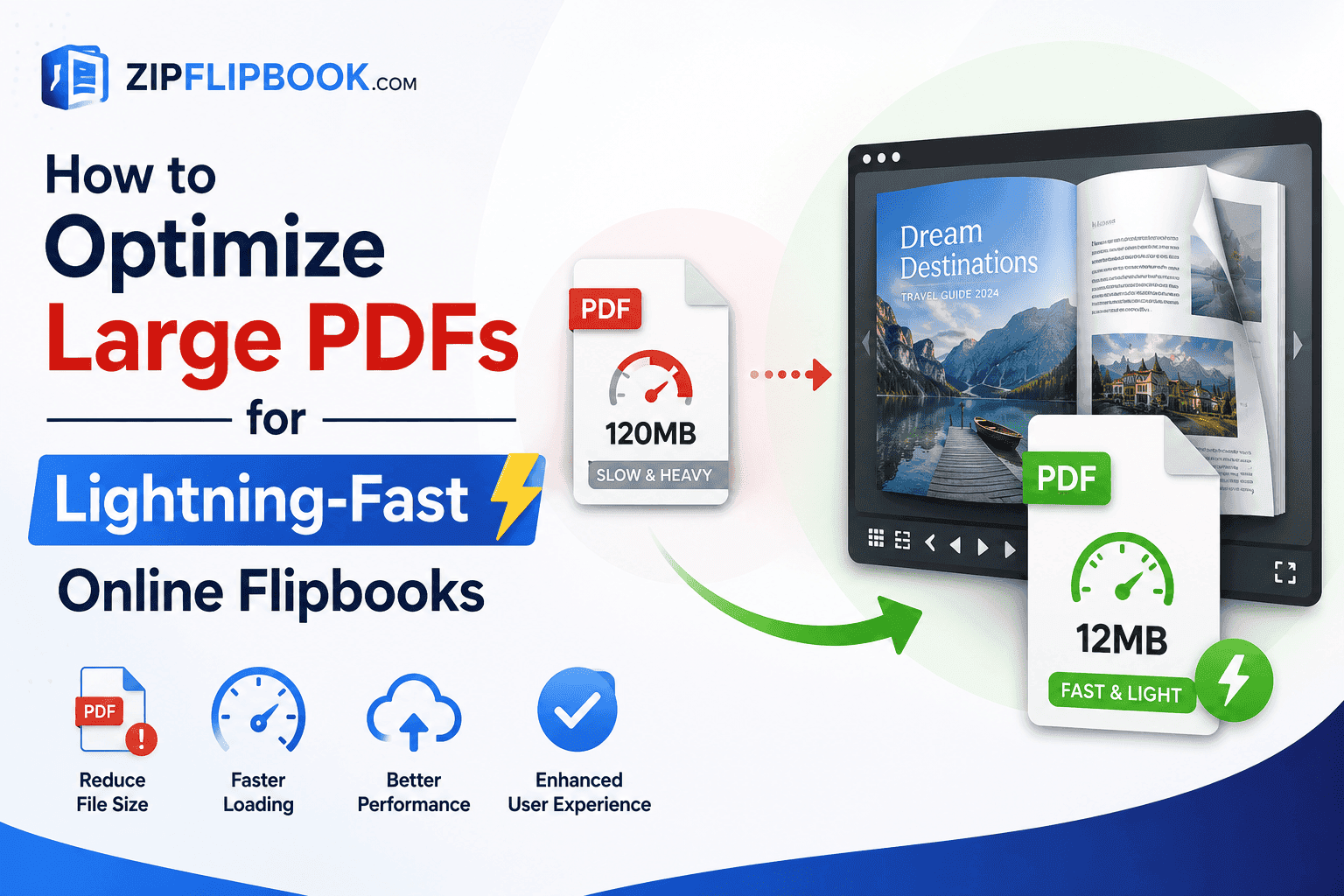
Start with image resolution. Anything destined for a screen rarely needs to exceed 150dpi, and 96-120dpi is often indistinguishable to the human eye in a browser-sized flipbook viewer. If your design software lets you export a "screen" or "smallest file size" version of the PDF rather than the "print quality" one, do that first — it alone can cut file size by 60-80% with no visible quality loss. Does it ruin the quality? On a screen, no — you literally can't see the difference, since your monitor maxes out at a fraction of the pixels a printer can lay down. Keep the high-res version around if you ever need to print the thing; for a phone screen, it's overkill anyway. Most catalogs exported at print resolution shrink by half to three-quarters once you knock them down to screen-ready size.
Next, flatten what doesn't need to stay layered. Transparency effects, overlapping vector shapes, and unused layers all add rendering overhead that serves no purpose once the document is locked as a final PDF. Most design tools have a "flatten transparency" or "reduce file size" export option buried in their print/export settings — it's worth hunting for.
I don't care how good your design software is — it always misses something. My last resort before every upload is running the file through a PDF Compressor to nuke the leftover metadata and duplicate images. Takes about a minute, and it usually buys me another 10-15MB of breathing room.
Strip embedded fonts you aren't using, or subset them so only the characters that actually appear on the page get embedded instead of the entire font family. Remove form fields, bookmarks, and old interactive elements left over from a previous version of the document — they add weight without adding anything a flipbook reader will ever interact with.
Turn Your PDFs into Lead Generation Machines
Start getting highly-qualified leads from your PDFs and landing pages today. It takes exactly 2 minutes to set up.
No credit card required • Sign up in 10 seconds
What a good size target looks like
Shoot for under 10MB if you can swing it. 25MB is pushing it but still workable. Past that, your flipbook is basically a desktop app pretending to be a webpage, and mobile users are going to hate you for it.
This is where the platform you use to build the flipbook matters too. ZipFlipbook compresses and lazy-loads pages on our end so readers aren't waiting for the entire document to download before they can start flipping — only the pages they're actually viewing get pulled in. But that's a safety net, not a substitute. A pre-optimized 8MB file will always outperform an unoptimized 40MB file being squeezed through the same pipeline, no matter how good the lazy-loading is. And trimming the source file won't touch anything you've added on our end, either — lead capture forms, embedded video, page links all get layered on after upload, completely separate from the PDF's internal structure.
The payoff is retention, not just speed
Speed isn't the win. The win is getting someone to the "Buy Now" button, or your lead capture form, before their thumb gets twitchy and they swipe away. Speed just buys you that window. Every second shaved off the first render is a second they're still looking instead of leaving — and if you've put real work into the design and copy, the file deserves that chance.
Turn Your PDFs into Lead Generation Machines
Start getting highly-qualified leads from your PDFs and landing pages today. It takes exactly 2 minutes to set up.
No credit card required • Sign up in 10 seconds